Rubble mound revetment vs vertical seawall: telling them apart in satellite imagery
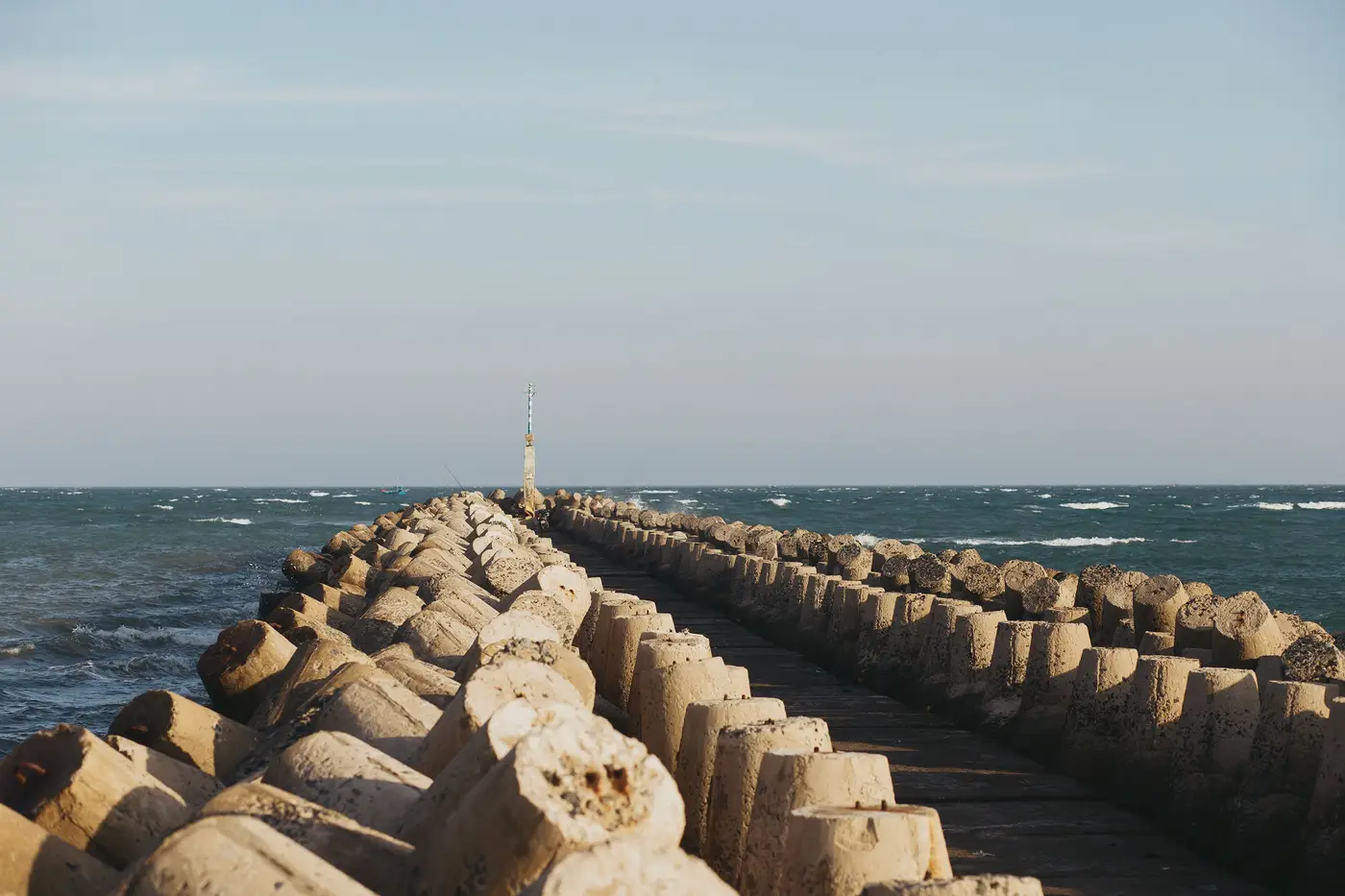
If you've spent any time squinting at a quarterly pass trying to figure out what a contractor actually poured versus what's still a pile of rock, you know the two structures get confused constantly in desk reviews. Rubble mound revetment and a vertical seawall do the same job, stopping wave energy and holding a shoreline or berth face in place, but they read completely differently in imagery once you know what to look for.
Rubble mound revetment: texture and slope
An armour stone revetment is built from graded rock placed on a slope, usually with an underlayer and a core beneath the visible armour layer. From directly overhead at 0.5-2 m resolution, that slope shows up as a textured, mottled surface rather than a flat one. Individual armour units, often 1-3 tonnes apiece on port works, cast small irregular shadows that shift with sun angle, so the same stretch of revetment can look noticeably different between a morning and afternoon pass. The footprint also tells you something: a rubble mound slope needs horizontal run to work, typically extending several meters out from the crest before it meets the toe, so you'll see a graduated band of texture rather than a hard line.
Color is a secondary tell. Armour stone is usually quarried rock, which reads grey-brown and uneven, sometimes with a visible darker toe line where it's been underwater and picked up staining or marine growth. If the revetment is recent, the stone looks cleaner and uniform; weathered revetment gets patchier over a few seasons as algae and silt take hold unevenly across the slope.
Vertical seawall and sheet pile quay wall: the hard edge
A vertical seawall, and a sheet pile quay wall built the same way, reads as a sharp, continuous line with almost no transition zone. There's no slope to show texture, so the structure appears as a thin, uniform strip, often concrete-grey or showing the corrugated pattern of steel sheet piling if resolution and lighting cooperate. The giveaway is the shadow. A vertical face casts a narrow, straight shadow line right at the wall. A sloped rubble face throws a broader, mottled shadow band across the slope instead, and that band shifts shape with sun angle in a way a single hard edge doesn't.
Context around the wall helps confirm it. Vertical seawalls at working berths usually sit flush against deep water with little to no apron, because the whole point is to let a vessel moor directly against the structure. If you see mooring bollards, fender marks, or a crane rail running parallel to the edge, you're almost certainly looking at a quay wall rather than slope protection built for wave attenuation on an open shoreline.
Why the distinction matters for the call you're making
Getting this classification right changes what you report. Revetment growth usually means someone is protecting newly placed fill or reclaimed ground from erosion, often a leading indicator that reclamation is still active nearby. A new or extended vertical quay wall is a harder signal: it usually means the berth line itself has moved and vessels can now tie up along a longer stretch, which is the kind of change that shows up in throughput numbers a quarter or two later.
Getting the two structures right also keeps a change layer honest. If a revetment slope gets misread as a berth extension, you'll overstate how much usable quay frontage exists, which is exactly the kind of error that's hard to walk back once it's in a client deck. Comparing the current pass against the prior quarter, rather than eyeballing a single image, is usually what settles the ambiguous cases: a revetment toe advancing a few meters over two quarters looks nothing like a straight sheet pile line snapping into place in one pass. That quarter-over-quarter comparison is exactly what a change layer built for berth and reclamation tracking is set up to flag automatically, rather than leaving it to a squint test on two separate images.
If you're trying to settle this call across a dozen berths every quarter instead of one, that's the problem Port Monitoring is built around.